
Shotori

The screenshot tool Wayland deserved
Freeze the screen, drag a selection — it flows to the clipboard, a file, plain text, a pinned floating copy, or one long stitched image. Everything runs on your machine.
cargo install shotoriAt home on your desktop
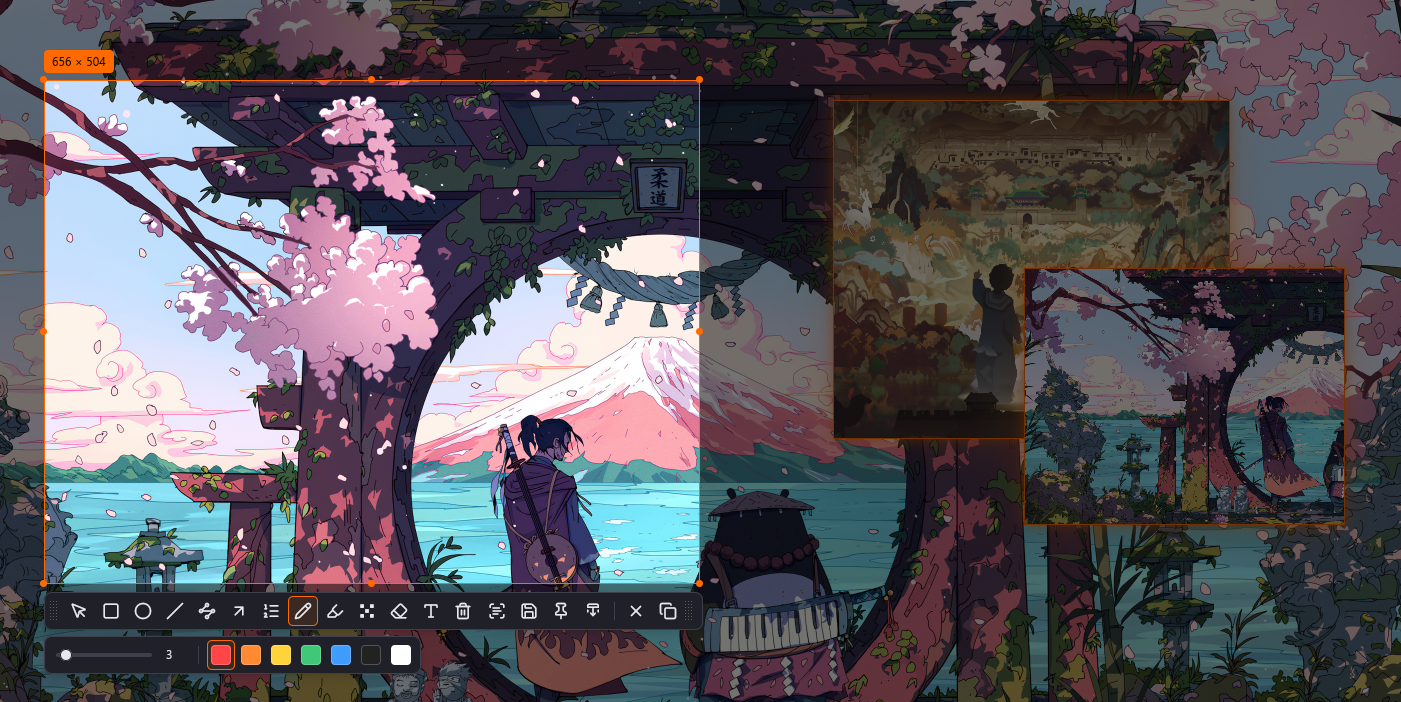
Region selection with two pins floating over the desktop — mixed scales, rotated outputs and selections spanning screens are handled.
Everything a screenshot flow needs
From the selection to wherever it needs to go — all local, all editable after the fact.
Wayland-native
Built on wlr-screencopy and layer-shell; at home on niri, sway, Hyprland and other wlroots-adjacent compositors.
Private OCR
Text recognition runs on-device; after a one-time model download, nothing ever leaves your machine.
Long screenshots
Scroll it yourself and watch the stitched page grow in a live side preview — fixed bars that break the flow stop it safely.
Pin
Crop a selection into an always-on-top floating image; drag it across screens, scroll to zoom.
Full annotation kit
Shapes, arrows, numbered steps, freehand, highlighter, mosaic/blur and text — all editable and undoable.
Ready when you are.
cargo install shotori